Guest users are here
Add anyone as a guest, start splitting right away, and hand over their complete history when they are ready to join BananaSplit.
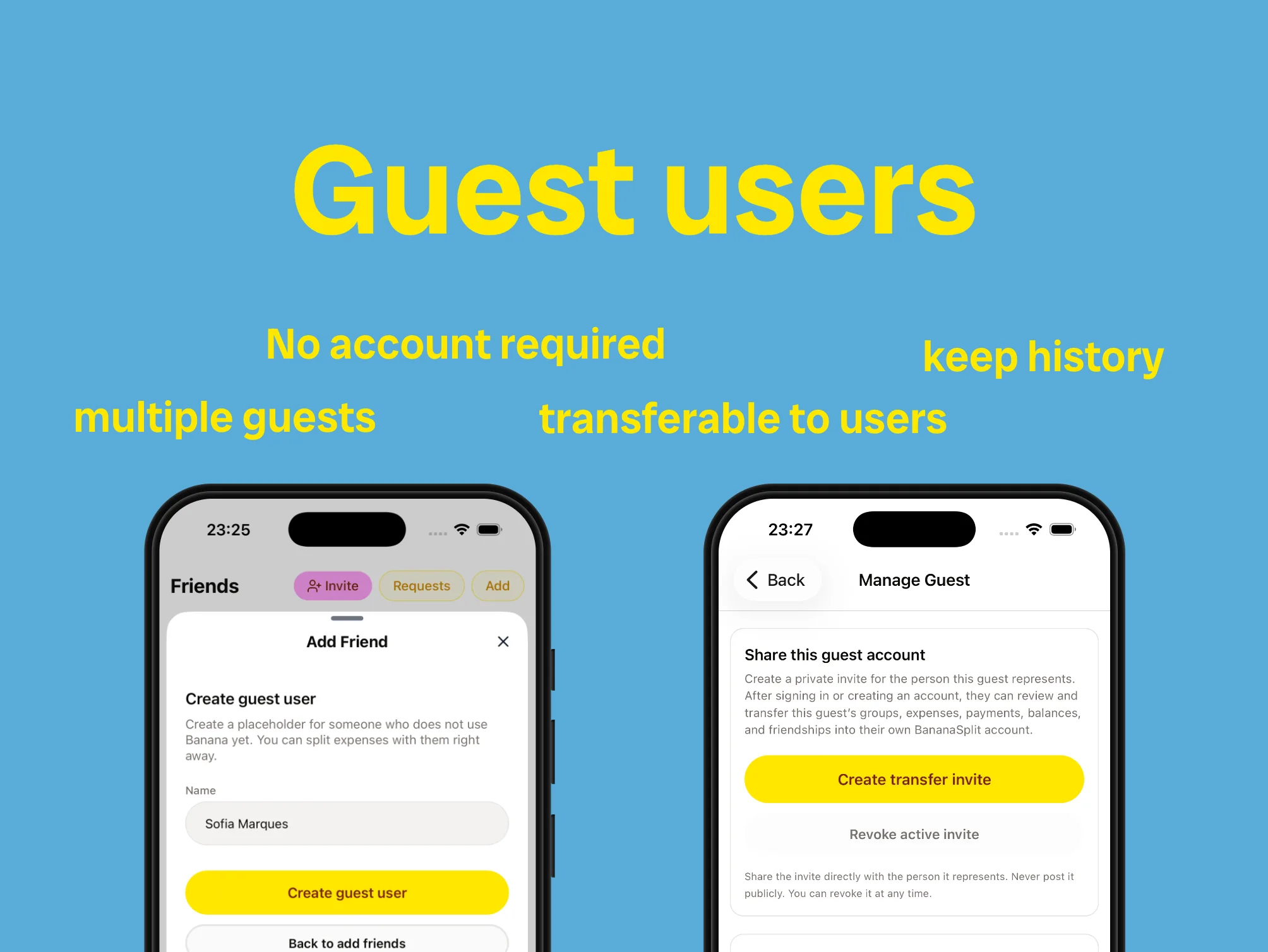
Guest users were the number one feature request from our community. We are very happy to say it: they are here.
A trip, dinner, or shared home should not have to wait for everyone to download an app. Now only one person needs a BananaSplit account to get the group moving.
One account is enough to start
Add anyone as a guest and split with them immediately. No email, download, or account setup required.
- Create as many guest users as your group needs.
- Add guests to groups, expenses, payments, and balances like anyone else.
- Manage each guest until that person is ready to take over.
Hand over the history later
A guest is not a throwaway placeholder. When that person wants to join, send them a private transfer invite. After signing in or creating an account, they can take over the guest's groups, expenses, payments, balances, and friendships. Nothing gets reset. The history you built together goes with them.
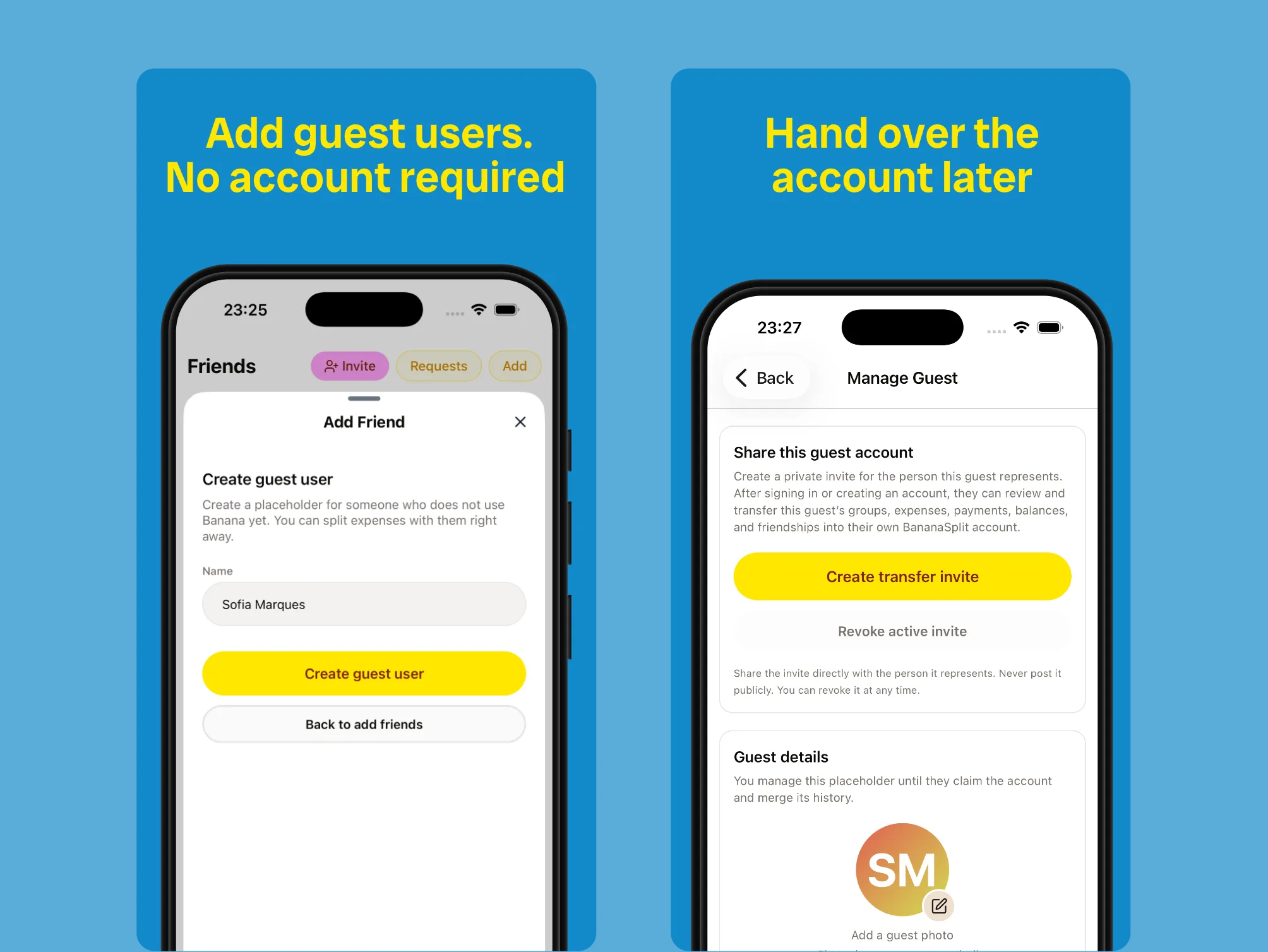
Create a guest in seconds. Hand over every group, expense, payment, and balance later.
Already on BananaSplit? Merge the accounts
Even if the person already has a BananaSplit account, they can still receive everything attached to their guest profile. We call this an account merge: two histories become one, without starting over. The handoff deserved more than a loading spinner, so we made a small anime dance for the moment the accounts become one.
Already in real groups
The first 30 days already show people using guests for real shared-money moments:
- 72 guest users were created.
- 60 guest profiles are still active, with 43 already in a group.
- 9 guest histories were transferred to real accounts.
- 19 people are already managing guests.
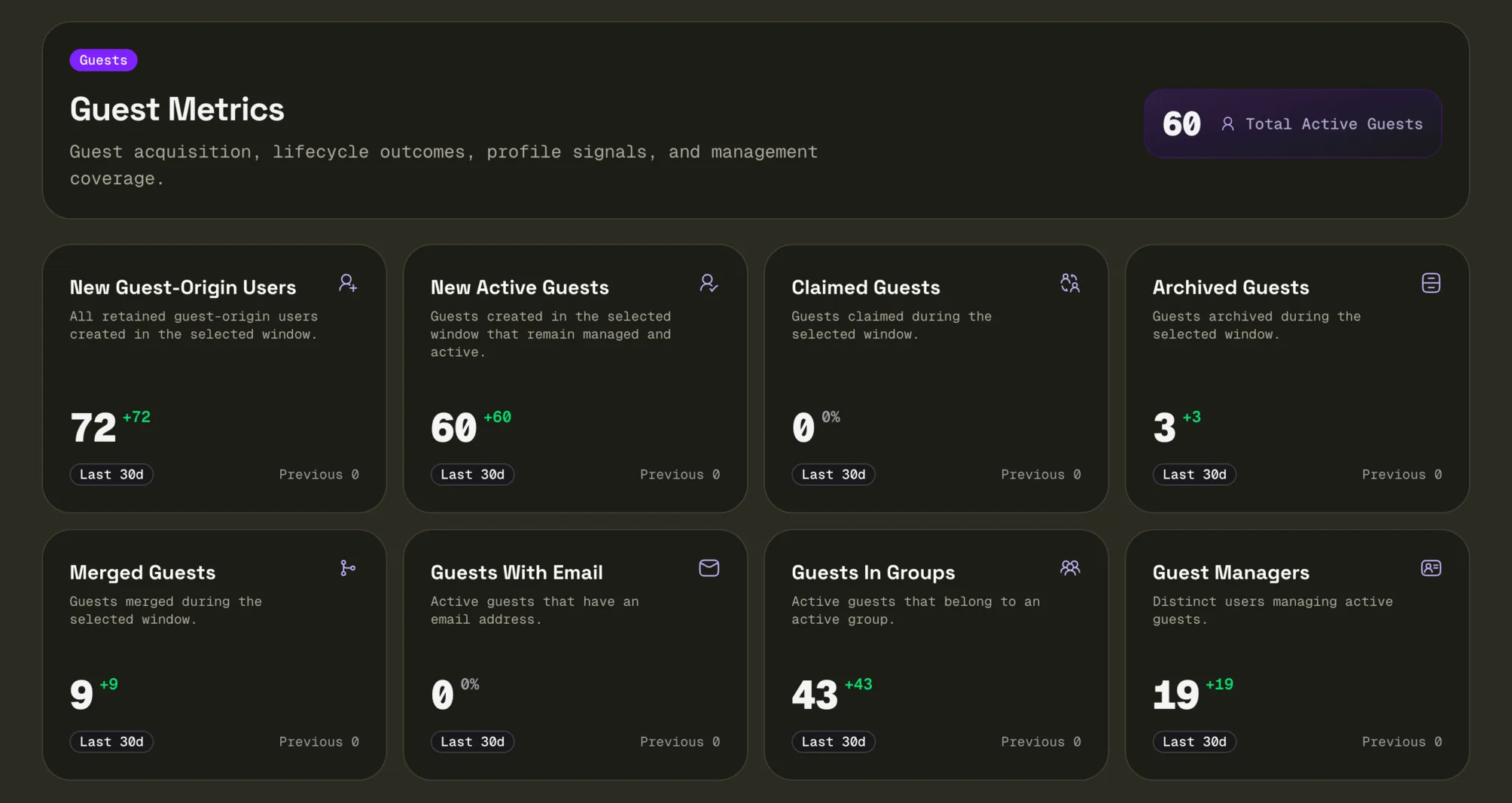
Early numbers, real groups, and no waiting for everyone to sign up.
The feature you asked for most
Guest users came straight from the community. You kept asking for a way to start splitting without making every person create an account first. You were right. Now the group can start when the plan starts. Everyone else can join when they are ready, without losing a thing.