Snap Any Image, Share Balances, See More
This update adds Snap It for any image with context, balance sharing for WhatsApp and Telegram, richer spending metrics, and a cleaner calendar view.
Shared money usually goes wrong in small moments.
A delivery screenshot. A hotel confirmation. A bank notification. A group chat where someone asks, "Wait, who owes who again?" A trip where the spending is moving faster than the spreadsheet energy anyone has left.
This update is about those moments.
BananaSplit now helps you add expenses from more kinds of images, explain balances outside the app, and understand how your group is spending with better metrics and a new calendar view.
Snap any image, with context
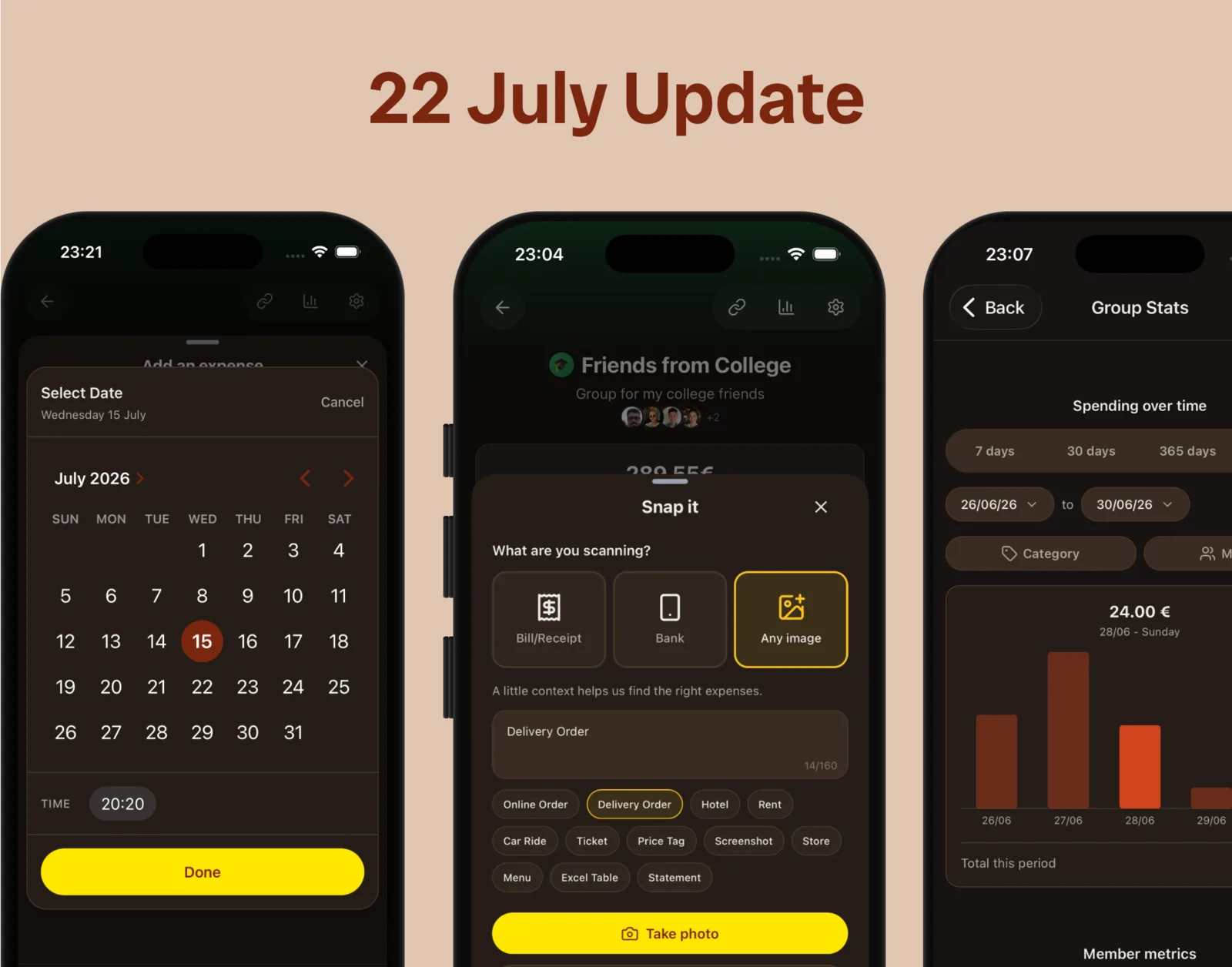
- Snap It now accepts any image — delivery orders, hotel confirmations, tickets, screenshots, bank statements, menus, even Excel tables.
- Add context about what you are sending so we pick the right amount and description.
- Built for real receipts, not just the tidy ones.

Snap any receipt, screenshot, booking, menu, or document, then add context so BananaSplit knows what to find.
Share balances as text
- Copy a balance summary and paste it straight into WhatsApp, Telegram, or any chat app.
- No more cropping screenshots or jumping between apps at checkout.
- Every summary includes a link back to the group.
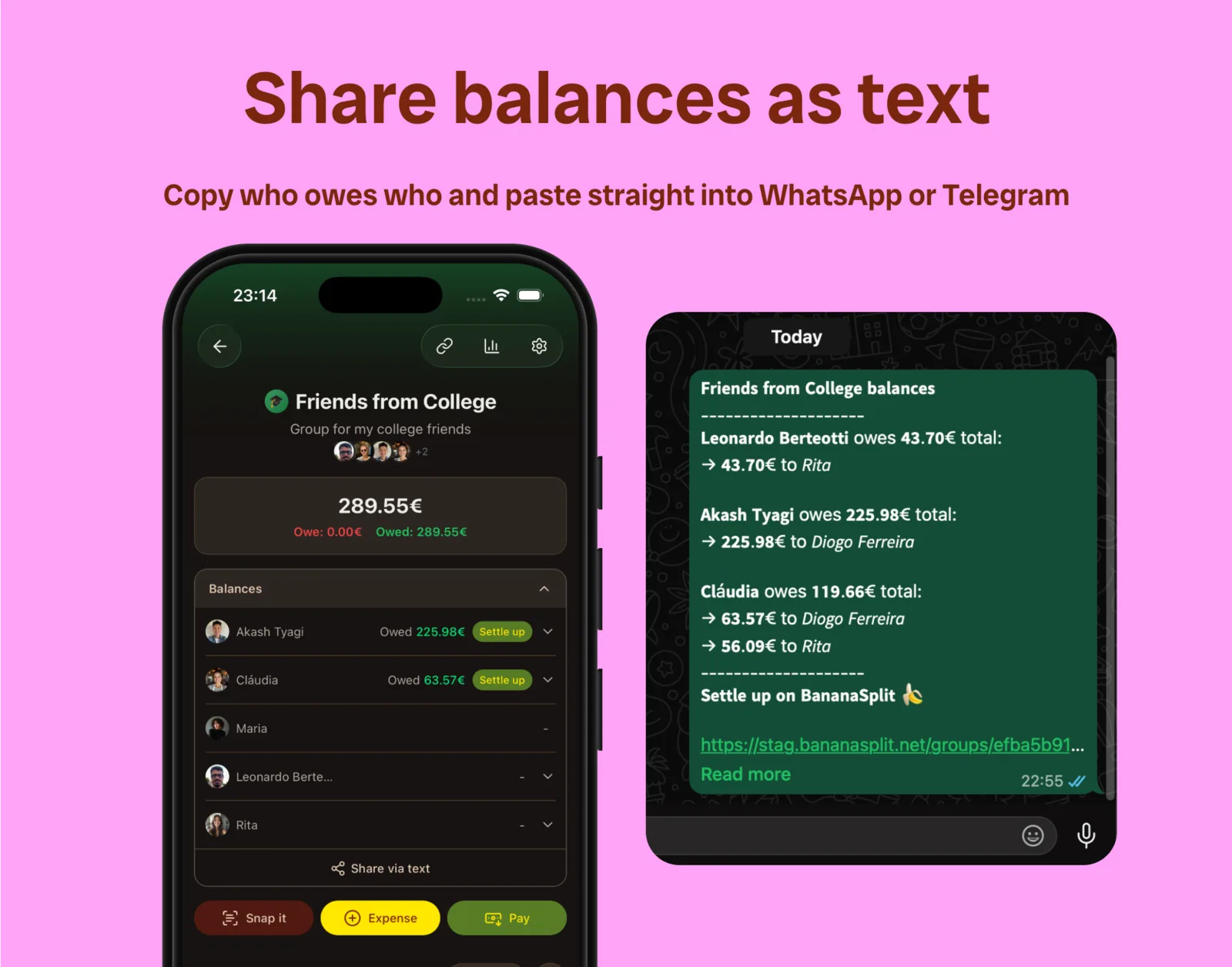
Copy a clean balance summary and paste it straight into WhatsApp, Telegram, or the group chat.
Metrics got better
- Group stats across 7 days, 30 days, 365 days, or a custom range.
- Filter stats by time range, category, and members.
- Member metrics now compare expenses added, money paid, money spent, and each share.
New calendar view
- A redesigned date selector for daily, weekly, and monthly expenses.
- Less friction when logging something today — or backdating it.

Choose expense dates with a calendar view built for daily, weekly, and monthly shared-money moments.
Faster where it counts
None of this is here to make shared expenses feel bigger.
It is here to make the money part smaller: fewer manual details, fewer explanations, fewer little moments where everyone knows the app should be doing more.
Quick thank you to Jorge, who has shared a lot of thoughtful feedback with us, including the idea to add more time perspective to group analytics, and for pushing us on the calendar work too.
BananaSplit is moving fast because the category should move fast.
The bills are not done yet.
PS: If you want to help us improve BananaSplit, send us your suggestions here. We read and consider every suggestion.