Split with shares, Widgets and Stories
See activity from your Home Screen, split fairly by shares, settle balances faster, and turn any expense into a story worth sharing.
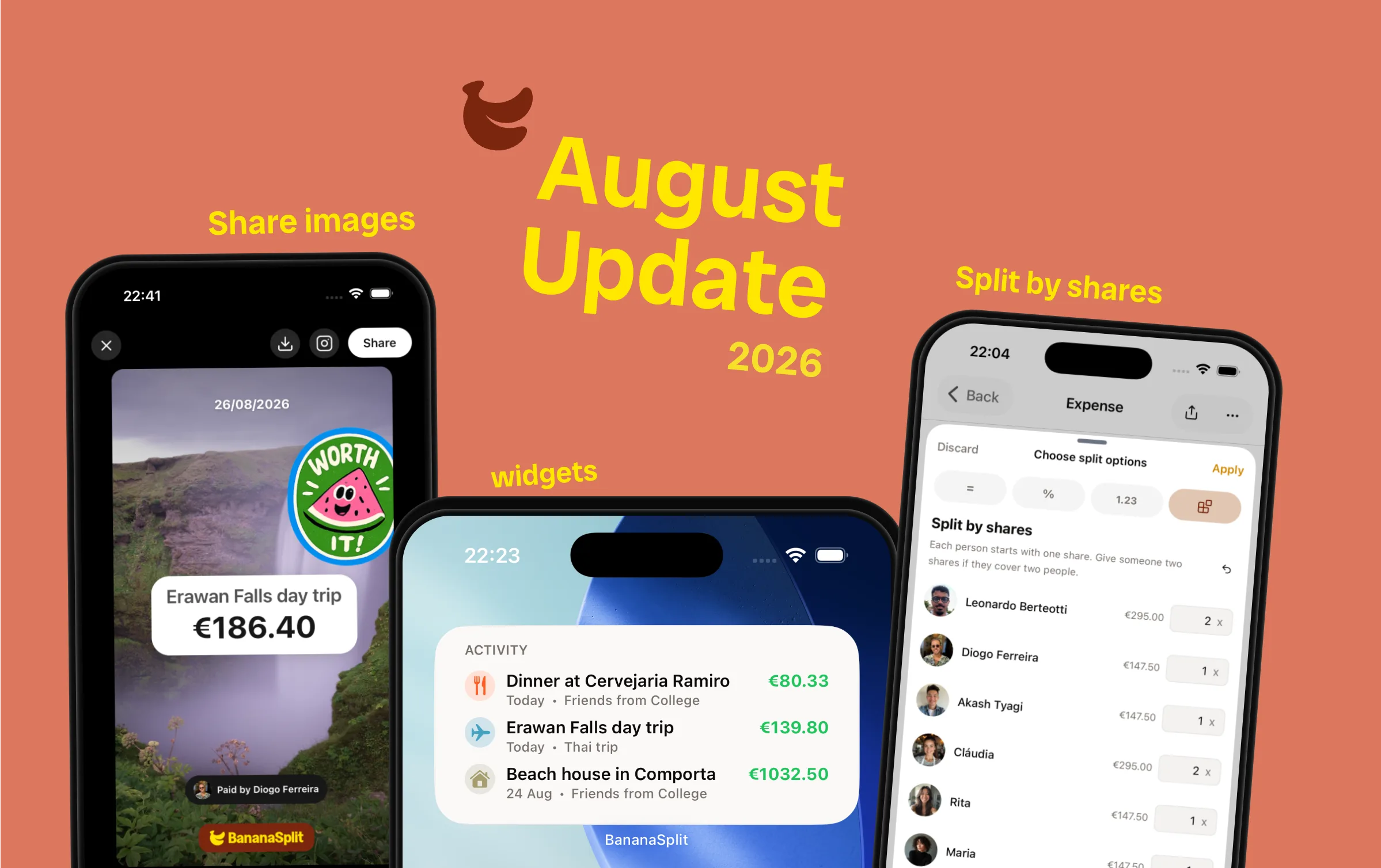
Shared money does not sit still. It happens while you are making plans, ordering one more round, covering a plus-one, or reminding a friend what they owe.
This update brings those moments closer to the surface. BananaSplit now keeps activity on your Home Screen, handles uneven headcounts with shares, takes the typing out of payments, and turns an expense into something you will actually want to send.
Split by shares
We took way too long to ship this one. Sometimes one person is paying for two. Give everyone one share, give the plus-one two, and BananaSplit calculates the amounts automatically.
- Use shares when equal amounts are fair for people, but not for headcount.
- Add or remove shares with a tap and see every amount update.
- Keep the split easy to explain when someone covers a partner, child, or guest.
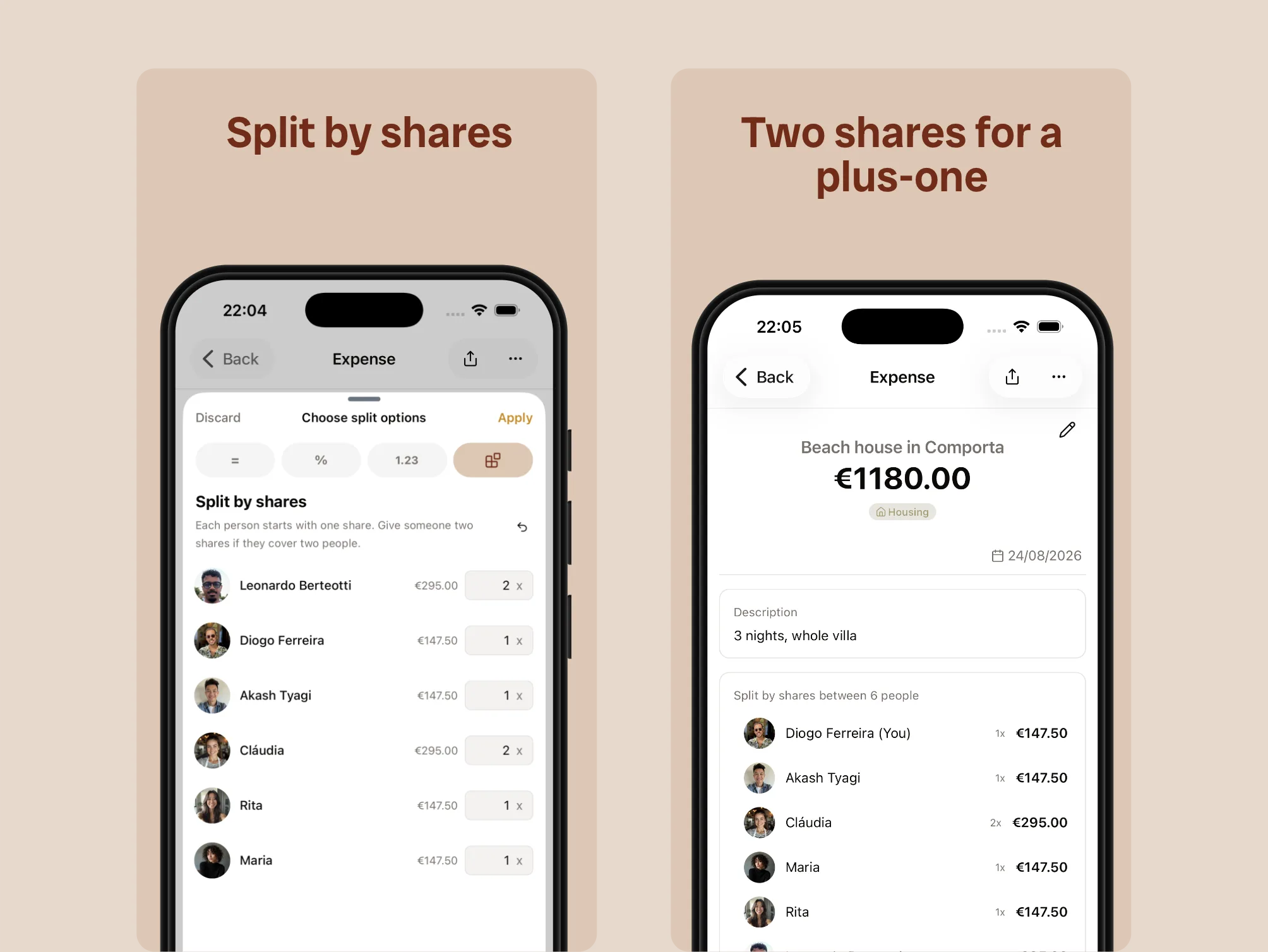
One share for you, two when you are covering your plus-one.
Activity, right on your Home Screen
Choose the widget that fits how much you want to see:
- A clean activity widget with your latest expenses at a glance.
- A fuller widget with your total balance, recent activity, and a quick add button.
- Open an expense or add a new one without hunting through the app.
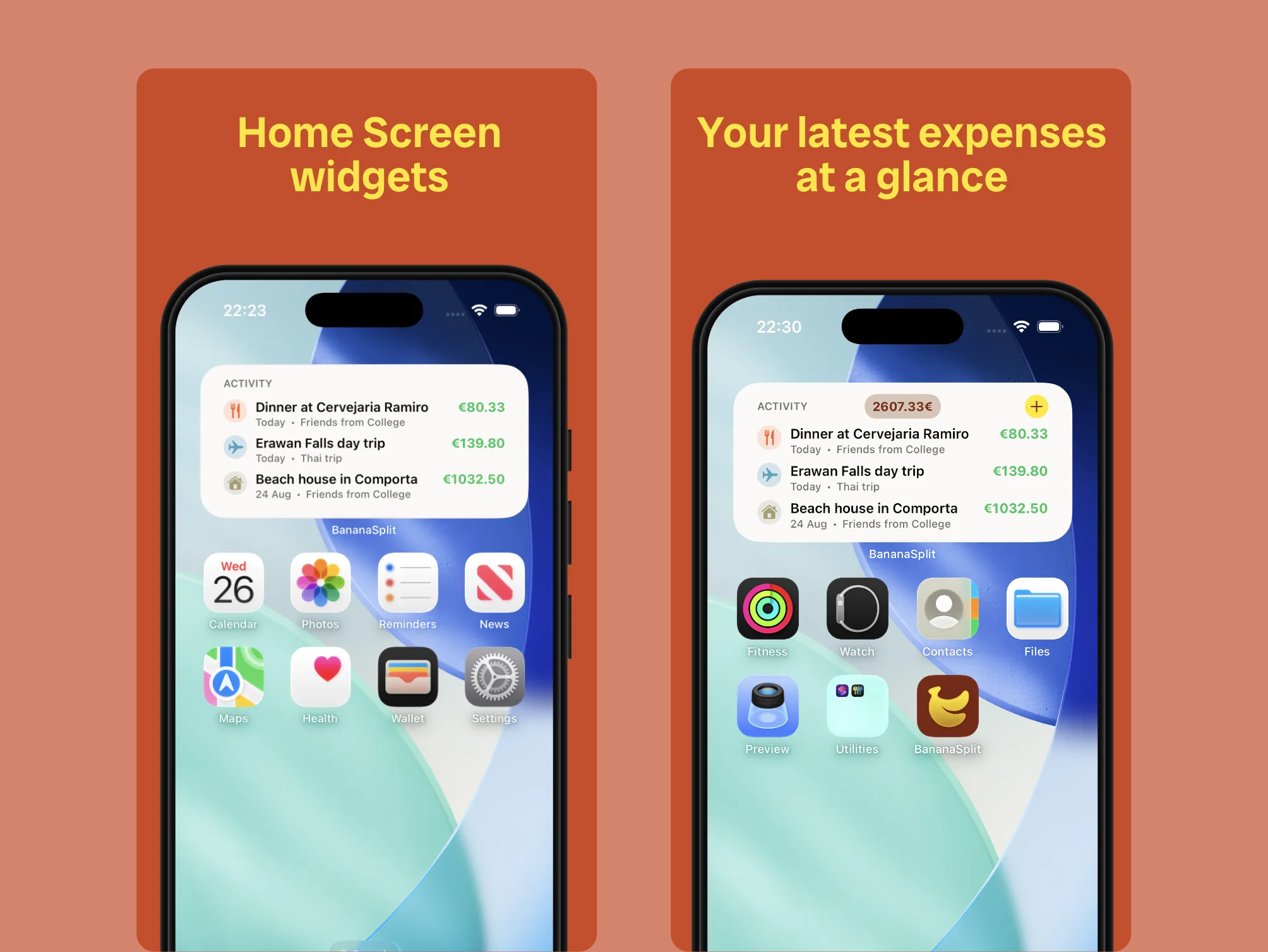
Keep the latest activity close, or add your balance and a quick way to log the next expense.
Payments that fill themselves in
The payment selector got a serious upgrade. Less checking, less typing, and no need to remember a number from the previous screen. Pick the person, tap the suggestion, and settle up.
- See each friend's balance before choosing who paid whom.
- Get a suggested payment based on what is already owed.
- Tap the balance suggestion to fill in the amount automatically.
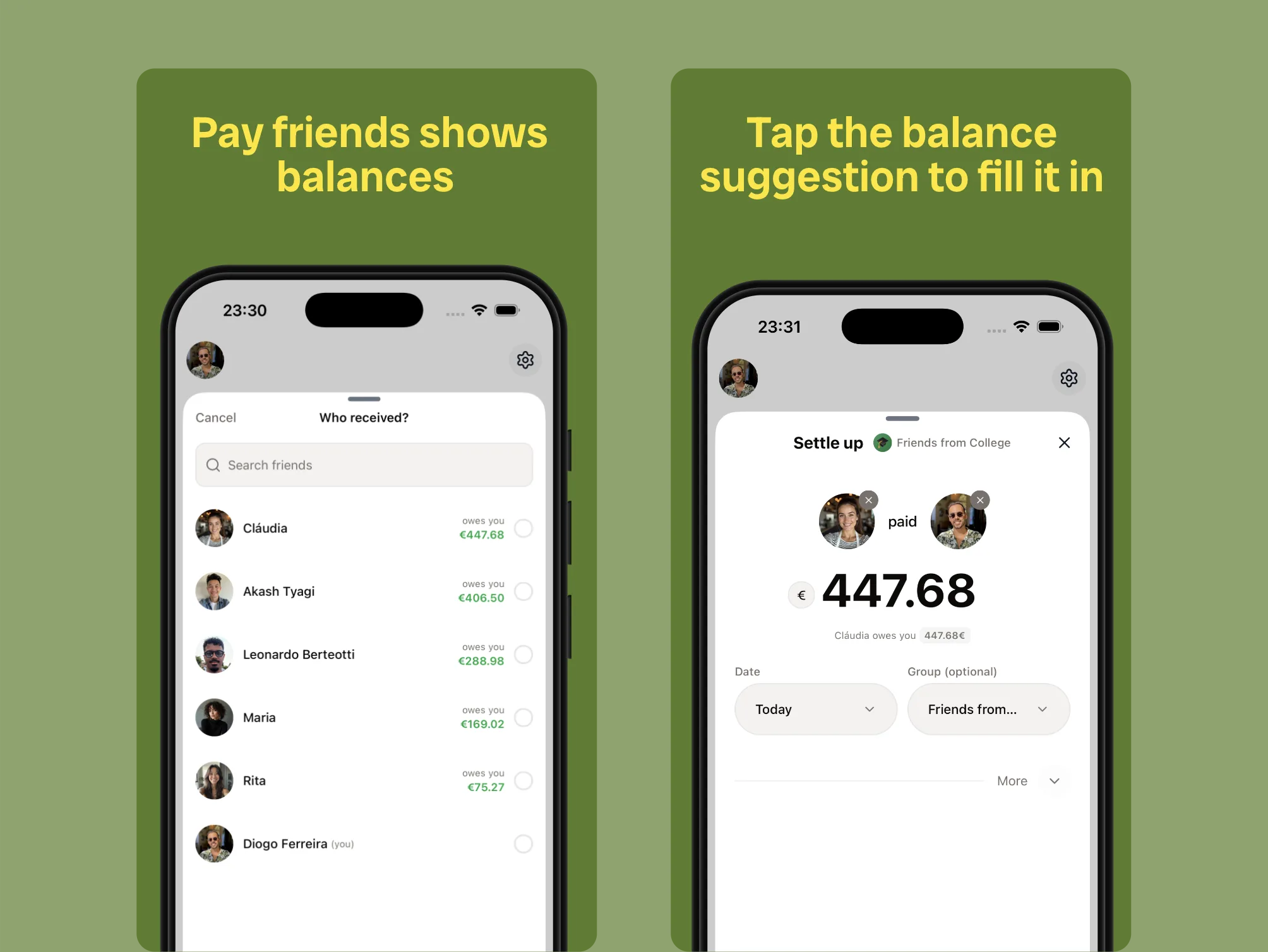
Choose a friend, see the balance, and tap once to fill in the payment.
Turn an expense into a story
Sending a friend the amount they owe can be useful. It can also be fun. This feels like editing an Instagram story, except the expense is already there and nobody has to ask, “How much was my part?”
- Share an expense with the amount and payer details already laid out.
- Add a photo or video, move things around, and make it yours with stickers.
- Save it, send it directly, or publish it as a story.
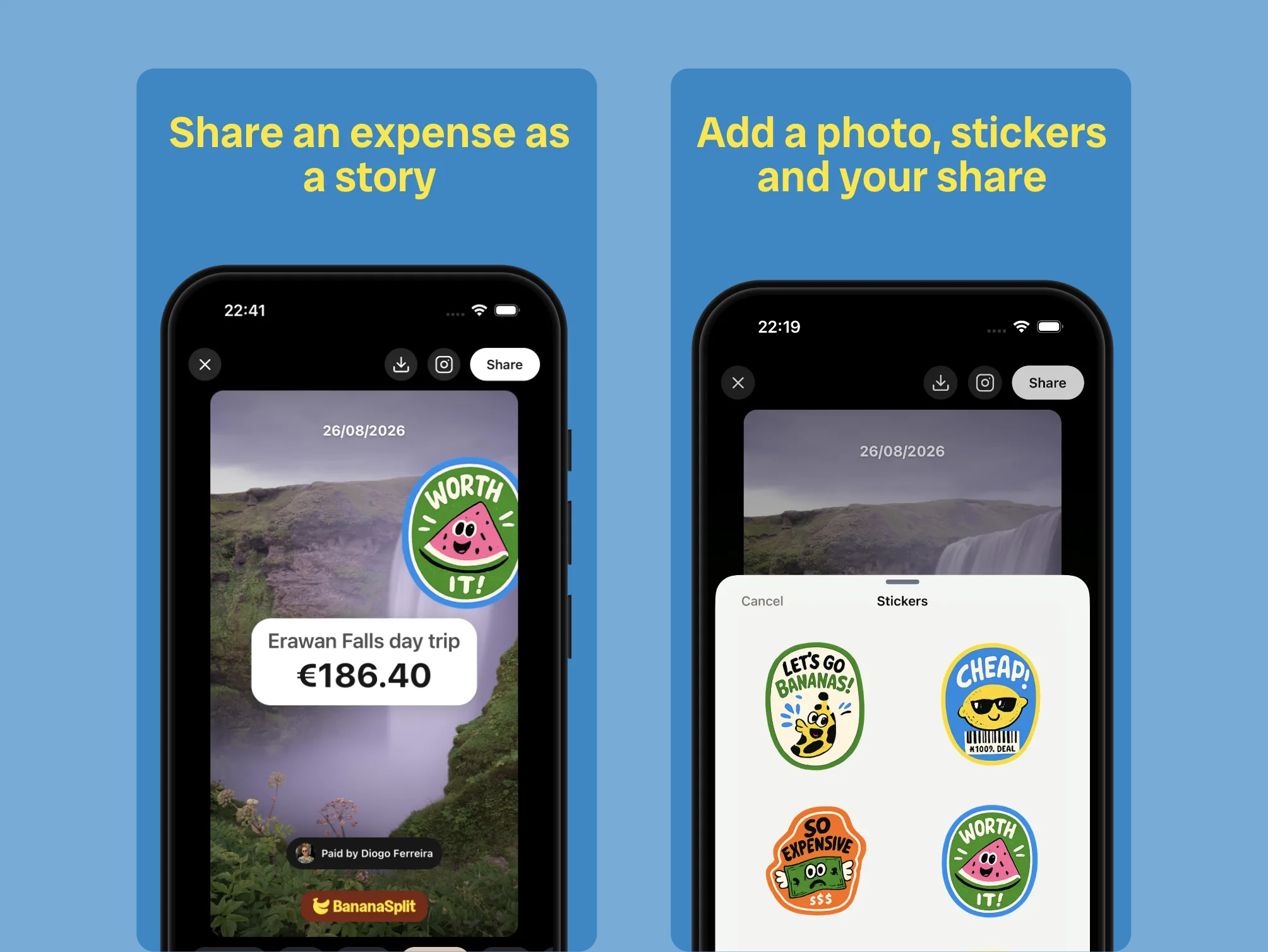
Add a photo or video, style the expense, and share the amount without sending a boring screenshot.
Bottom tab menu, fixes, and polish
Alongside the headline features, we shipped a new menu and a long list of fixes and improvements. A huge thank you to Jorge for the sharp bug reports and feature feedback behind these and many more. We have not shipped every request yet, but we are working through the rest.
- Copy an owed value with a tap instead of typing it again.
- Better photo-library permission handling for Snap It and profile photos.
- A fix for groups that looked settled when money was still owed.
We're not slowing down
This release makes BananaSplit faster, clearer, and more fun in the moments that normally get awkward. But it is not a finish line.
September is close, and so are some of the most exciting features we have built yet.
We are hungry. Hungry to make shared money feel effortless and keep raising the standard for this category.
The bills are not done yet.