Activity Filters Are Here
BananaSplit 1.5.4 adds group types, smarter activity filters, and activity logs so shared expenses are easier to find, manage, and trust.
This is where we share product updates, launch notes, and the small improvements that make shared expenses feel faster, clearer, and less like group accounting.
Here is what is new in the latest update, BananaSplit 1.5.4.
New: Filters + sorting inside every group
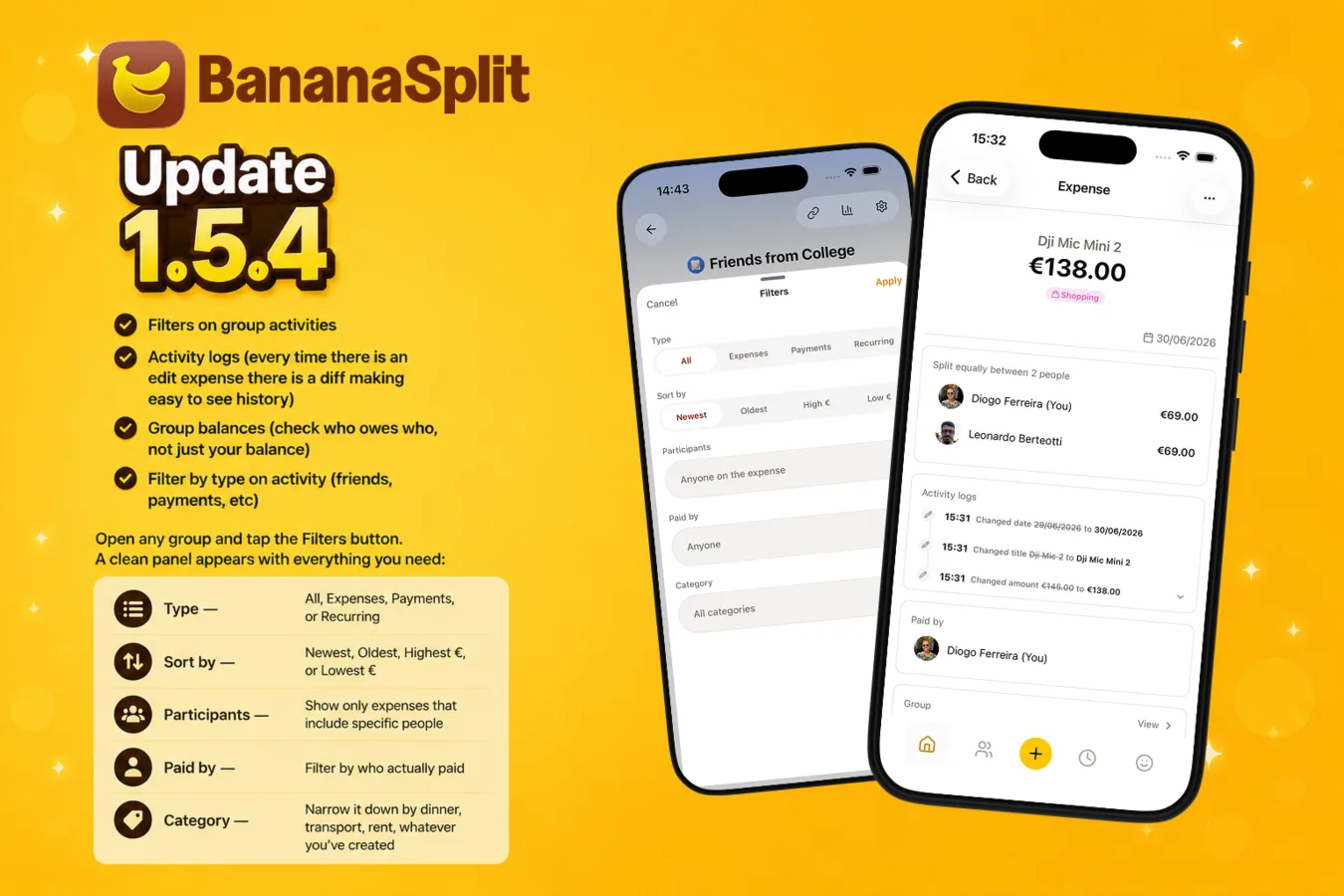
Open any group and tap the Filters button. A clean panel appears with everything you need:
- Type — All, Expenses, Payments, or Recurring
- Sort by — Newest, Oldest, Highest €, or Lowest €
- Participants — Show only expenses that include specific people
- Paid by — Filter by who actually paid
- Category — Narrow it down by dinner, transport, rent, whatever you’ve created
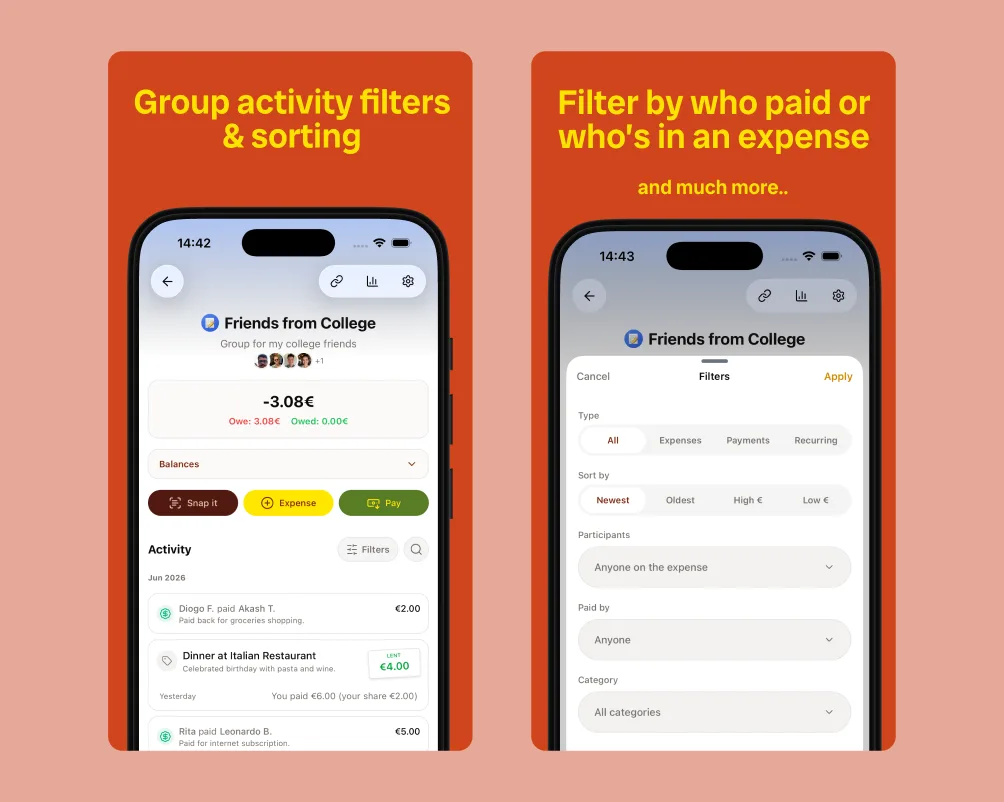
Suddenly finding “that expensive churrasco from June” or “all the payments I made to Nuno” takes two taps instead of ten minutes of scrolling and mental math.
New: Quick tabs on Activity
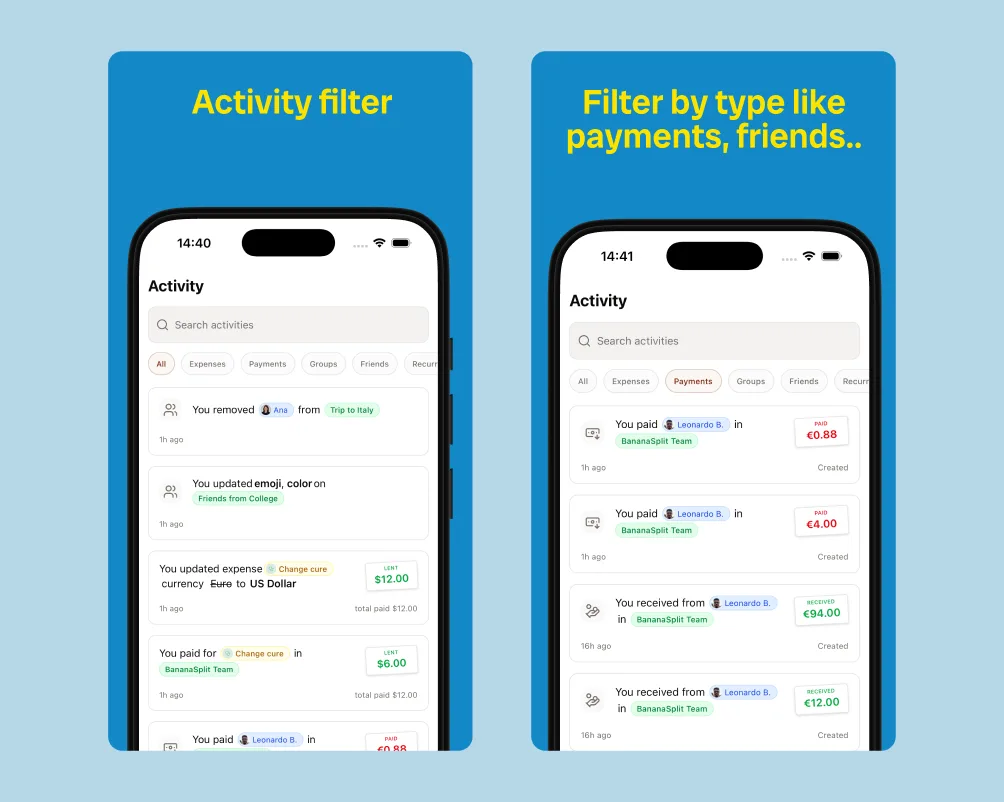
The main Activity screen now has instant filter tabs at the top:
All • Expenses • Payments • Groups • Friends • Recurring
One tap and you’re looking only at payments you received, or everything involving your friends, or just the recurring stuff. No more endless scrolling to find that one payment from last week.
New: Detailed balances
Anyone in the group can now see exactly what every member owes to every other member — not just the overall group total.
No more guessing or awkward “who owes who?” conversations. Just open the group and see the full breakdown at a glance. It’s clear, fair, and removes all the mental math. 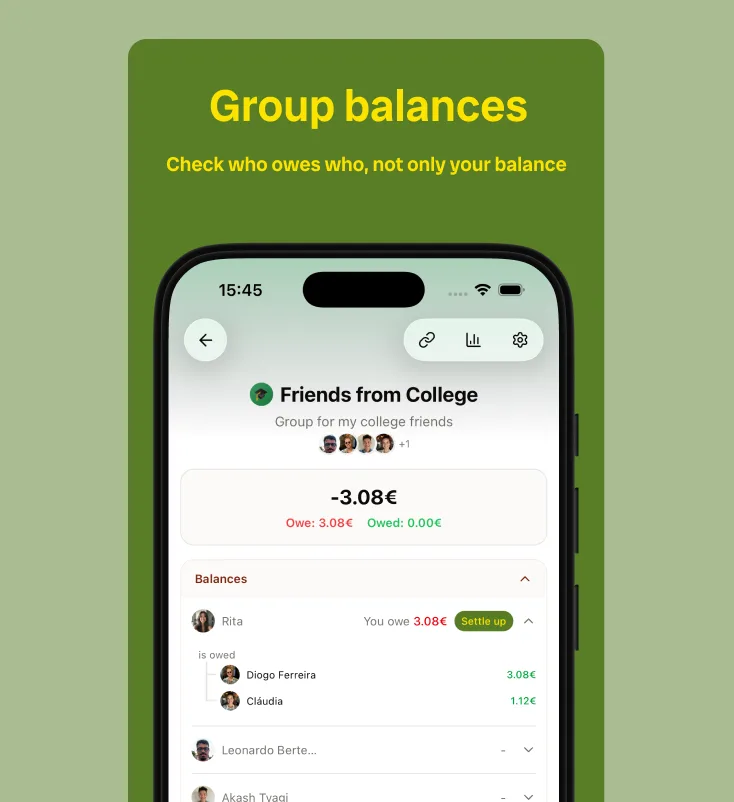
New: Activity logs (the transparency win)
Every single change to an expense or payment is now logged with a clear diff.
Changed the amount? Added a new person? Edited the split? You’ll see exactly what changed, when, and by whom — with the before and after right there.
Money stuff needs this level of clarity. No more “I don’t remember changing that” moments. Everything is traceable and transparent by design. 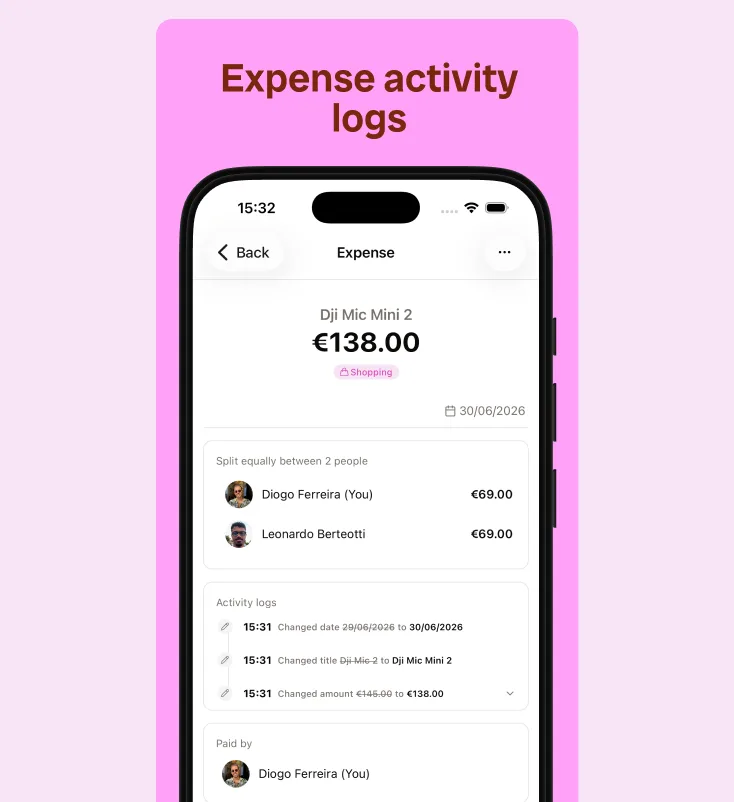
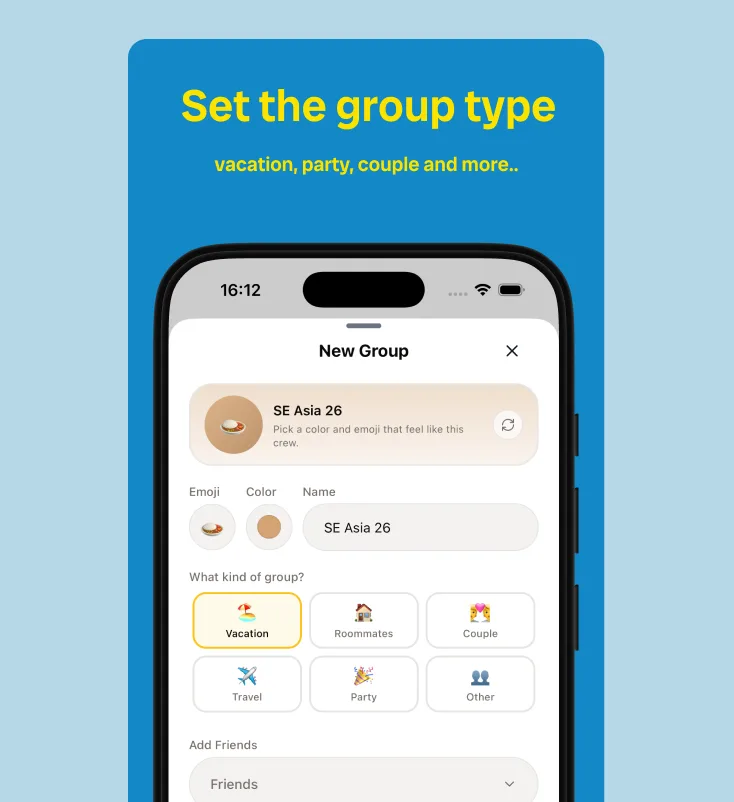
New: Set the group type
Every group has its own energy. A vacation is not a roommate house. A couple is not a birthday party. Now BananaSplit lets you set the group type when you create a group, so the space matches what you are actually doing together.
Choose Vacation, Roommates, Couple, Travel, Party, or Other. It is a small detail, but it makes groups feel less generic and more like the real shared-money moment behind them.
Why this matters
Shared expenses don’t happen in a vacuum. They happen between real plans, real friends, and real life.
These updates mean:
- Groups now start with the right context: vacation, roommates, couple, travel, party, or whatever life throws at you
- You can see exactly who owes whom with detailed balances (no more awkward calculations)
- Every change is tracked in activity logs with clear diffs — full transparency on money matters
- Quick filters and sorting let you find what you need without digging
- Roommates can pull up every utility payment in seconds
- Trip groups can sort by biggest expenses to settle the big ones first
Less hunting. More clarity. The app gets out of the way so you can get back to the fun part.
It works beautifully with what you already love
Group types + default splits + auto-adjust percentages + detailed balances + activity logs + smarter filters = you spend way less time on the boring money stuff and way more time actually living.
Small details, big difference.
More soon.
"The bills are not done yet."