How to Split Expenses on a Trip With Friends (Step-by-Step)
Agree on three rules before you leave, put everyone in one group, log every cost when it happens, and settle up once. Here is how to do all of it in BananaSplit, guests included.
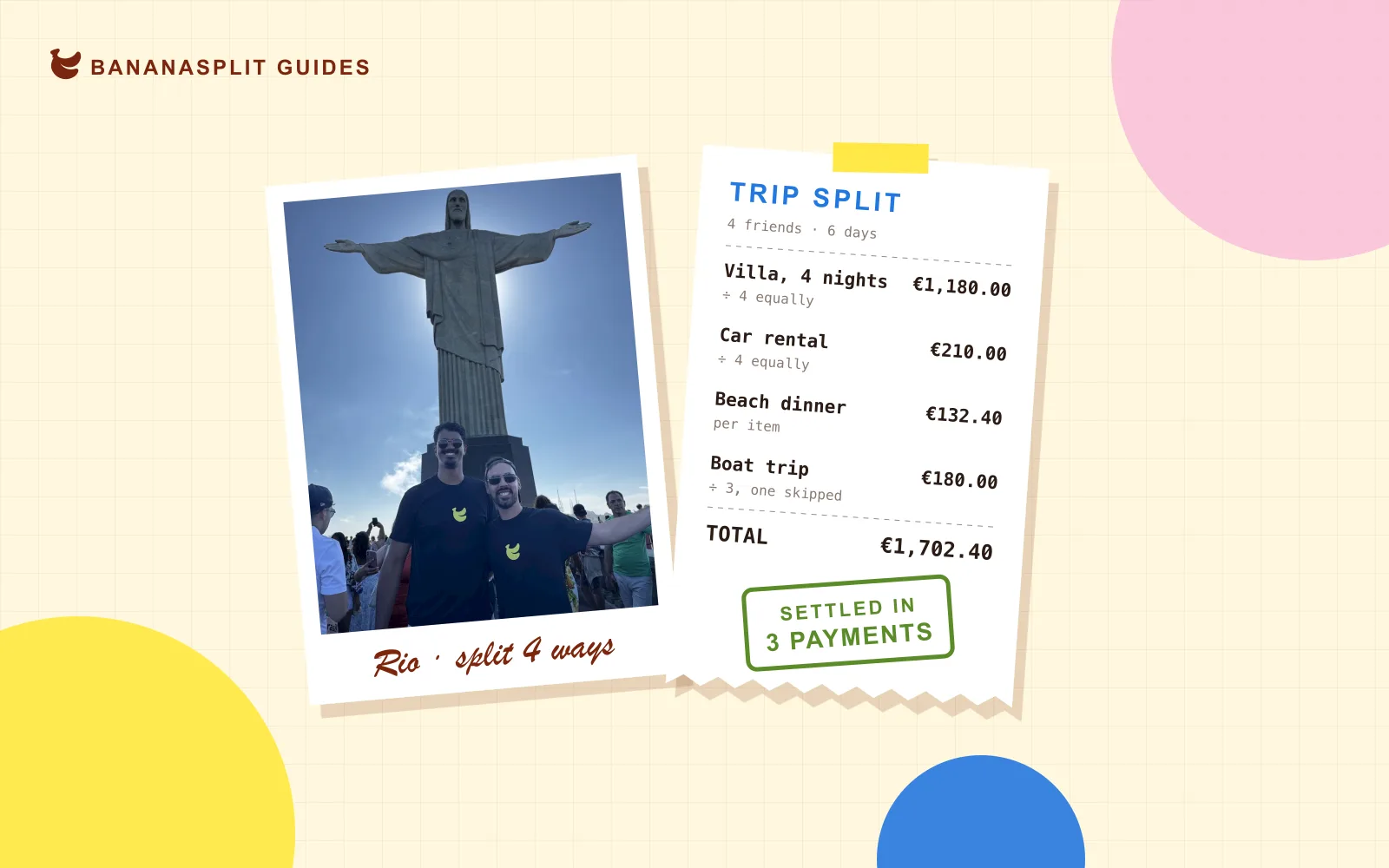
Six friends, one villa, a rental car, two currencies and a dinner where only two people ordered wine. Somewhere around day three, someone asks the question every group trip hits eventually: wait, who owes who?
This guide answers it for good, with everything you need to split travel expenses with friends fairly. First come the ground rules, then exactly how to run it in BananaSplit: creating the group, inviting friends, adding guests, splitting every expense and settling up in as few payments as possible.
The short answer
To split expenses on a trip, put everyone in one shared group before you leave, agree on what's shared and how, log every cost the moment someone pays, and settle up once at the end. Let an app do the math, so nobody has to keep a spreadsheet or remember who paid for the taxi.
- Agree on the rules before you leave.
- Create one group for the trip.
- Invite your friends with a link.
- Add guests for anyone without the app.
- Log every expense when it happens.
- Split each expense the fair way, not always equally.
- Check balances along the way.
- Settle up once, in the fewest payments.
Step 1: Agree on three rules before you go
Most trip money drama isn't about money. It's about expectations nobody said out loud. Ten minutes in the group chat before you leave saves the awkward conversation at the airport.
What counts as shared
Accommodation, car rental, fuel, tolls, groceries and group dinners are almost always shared. Souvenirs, solo activities and the duty-free perfume aren't. Sort out the grey areas now: drinks, the fancy dinner, the boat trip only half the group wants to do.
How you split by default
What works for most groups is a mix. Split fixed costs equally, and split variable costs by who actually used them. If someone gets the big room with the sea view, agree on their extra share before you book, not after.
When you settle
Pick a date: the last night of the trip, or within a week of getting home. "We'll sort it out later" is how small debts turn into long silences.
One more thing to agree on: who books the big stuff. Usually one person pays for the villa or the flights months in advance. That's fine, as long as it goes into the group the day it's paid.
Step 2: Create a group for the trip
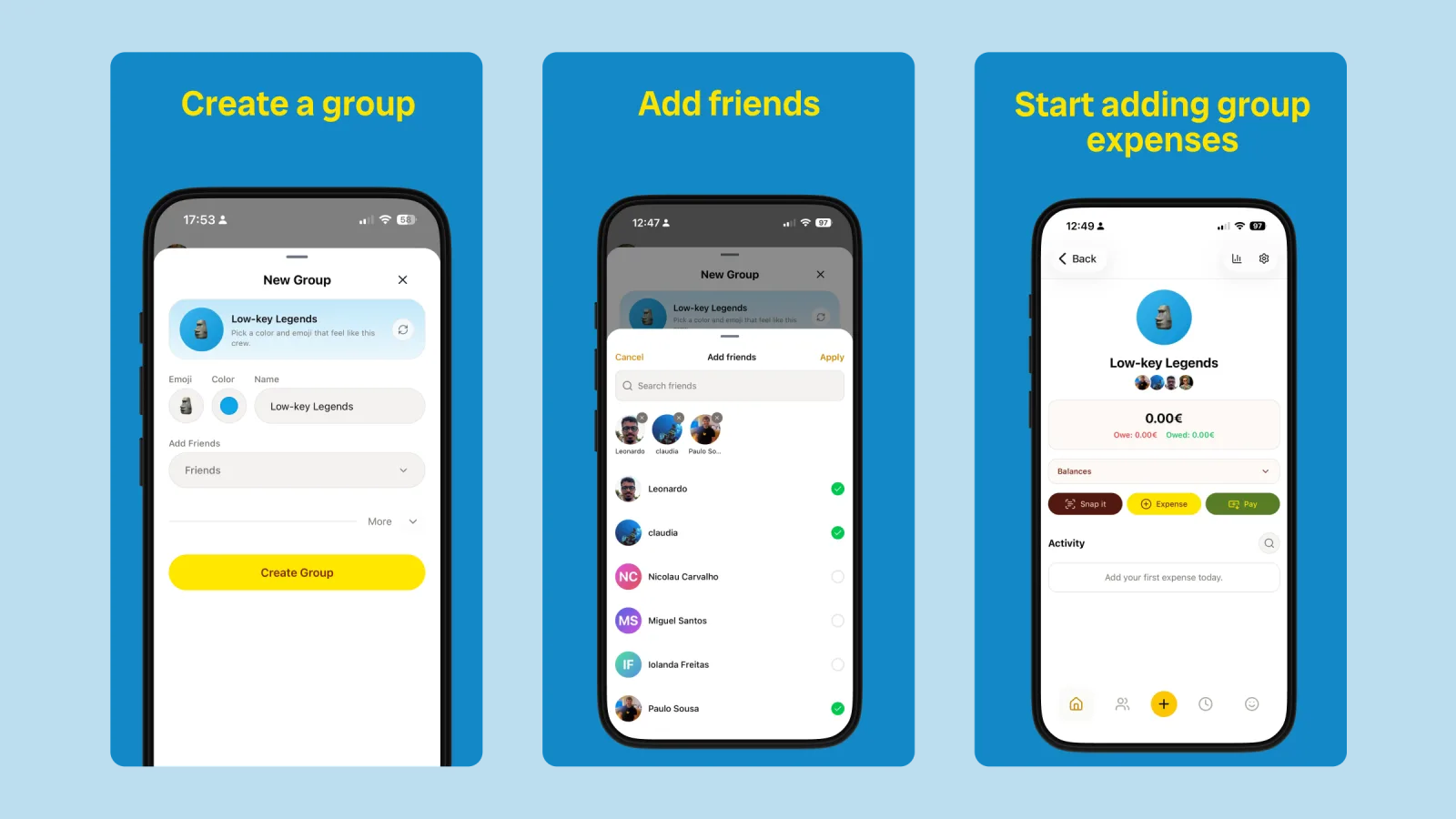
In BananaSplit, create a new group. Give it a name people will recognize ("Lisbon, May" beats "Trip"), pick an emoji and a color, and add friends who already use the app.
Set the group currency to the one you will settle in, usually the one most of you use at home. One trip, one group: don't reuse your flat group or your everyday friends group, so the trip's total and balances stay clean.
Step 3: Invite your friends with a link
Not everyone is in your friends list yet. Open the group settings, tap Share group and drop the link or QR code into your trip chat. People join with a tap.
Once they're in, everyone sees the same expenses and the same balances in real time. Nobody has to ask the person with the spreadsheet, because there's no spreadsheet.
Step 4: Add guests for friends without the app
There's always one. The friend who will "download it later". Don't wait for them: add them as a guest.
- Go to Friends and tap Add.
- Choose Create guest user and type their name.
- Add the guest to the trip group.
Guests work in expenses, payments and balances like anyone else, and they need no email, download or account. When they finally join, send them a transfer invite and their whole history moves to their own account. If they already have a BananaSplit account, the guest merges into it. Nothing resets. More in guest users are here.
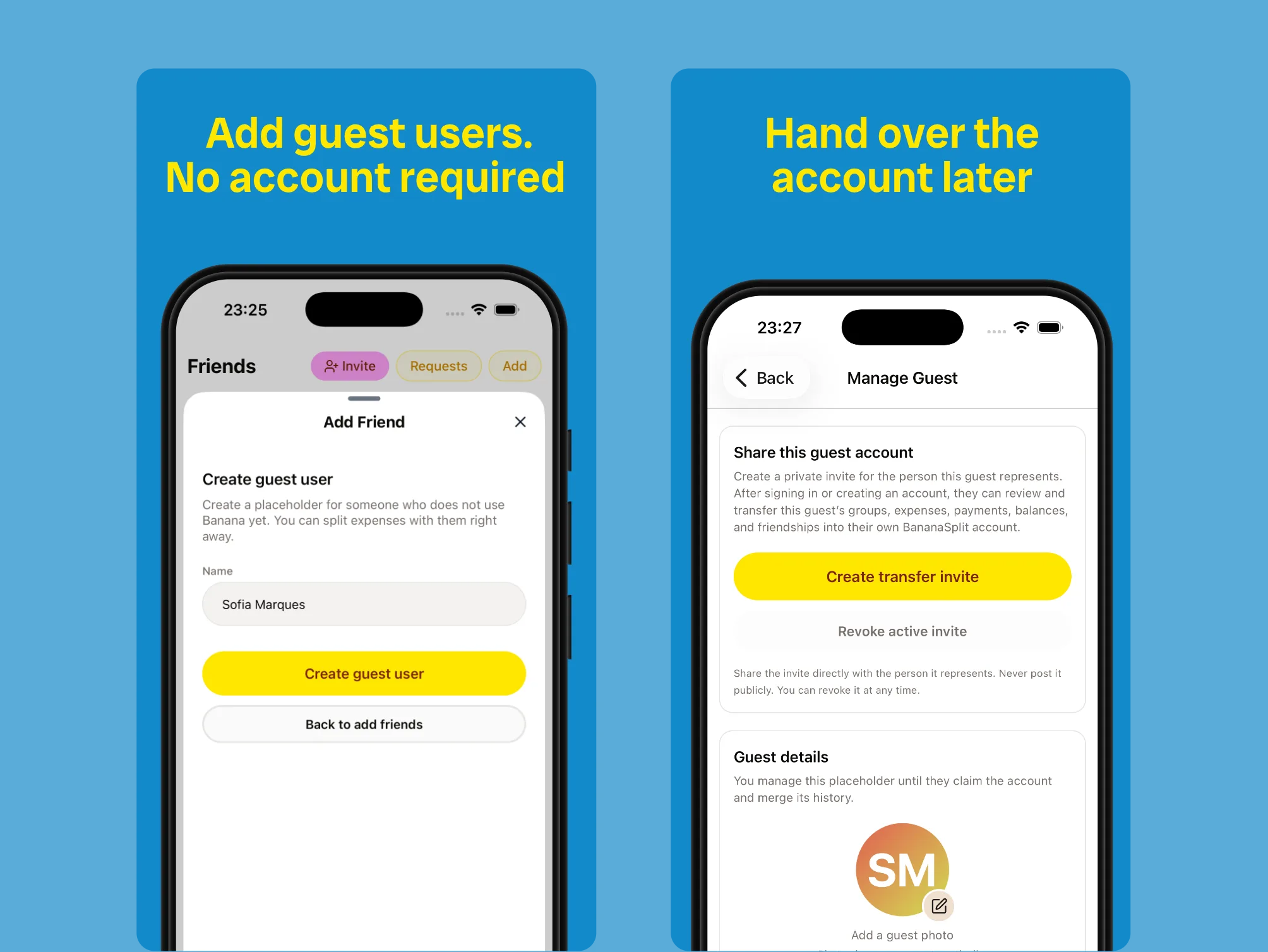
Add a guest in seconds. Hand over every expense and balance when they join.
Step 5: Log every expense when it happens
The golden rule of splitting trip costs: whoever pays logs it, right away. Tap Add expense, enter the amount, who paid and who's in. It takes ten seconds in the moment, or twenty minutes of detective work a week later.
- Snap the receipt. Snap It reads receipts, menus, tickets and booking screenshots and fills in the amount and description. Text PDFs work too, so the car rental invoice becomes an expense without any typing.
- Share it straight from your inbox. Hotel invoice in your email? Share the PDF or a screenshot to BananaSplit from any app and pick the trip group. It's scanned in the background and split the way the group usually splits.
- Catch up from your bank. At the end of the day, screenshot your bank app. Snap It turns one bank screenshot into several expenses, so the coffees and metro tickets don't slip through.
- No signal? Keep going. BananaSplit works offline. Add expenses and payments on the plane or up a mountain, and they sync by themselves, without duplicates, when you're back online.
- Backdate what you booked early. Flights and the villa paid months ago go in with their real date, so the trip's history stays honest.
- Add from your Home Screen. On iPhone, the BananaSplit widget has a quick-add button for the next round of drinks.
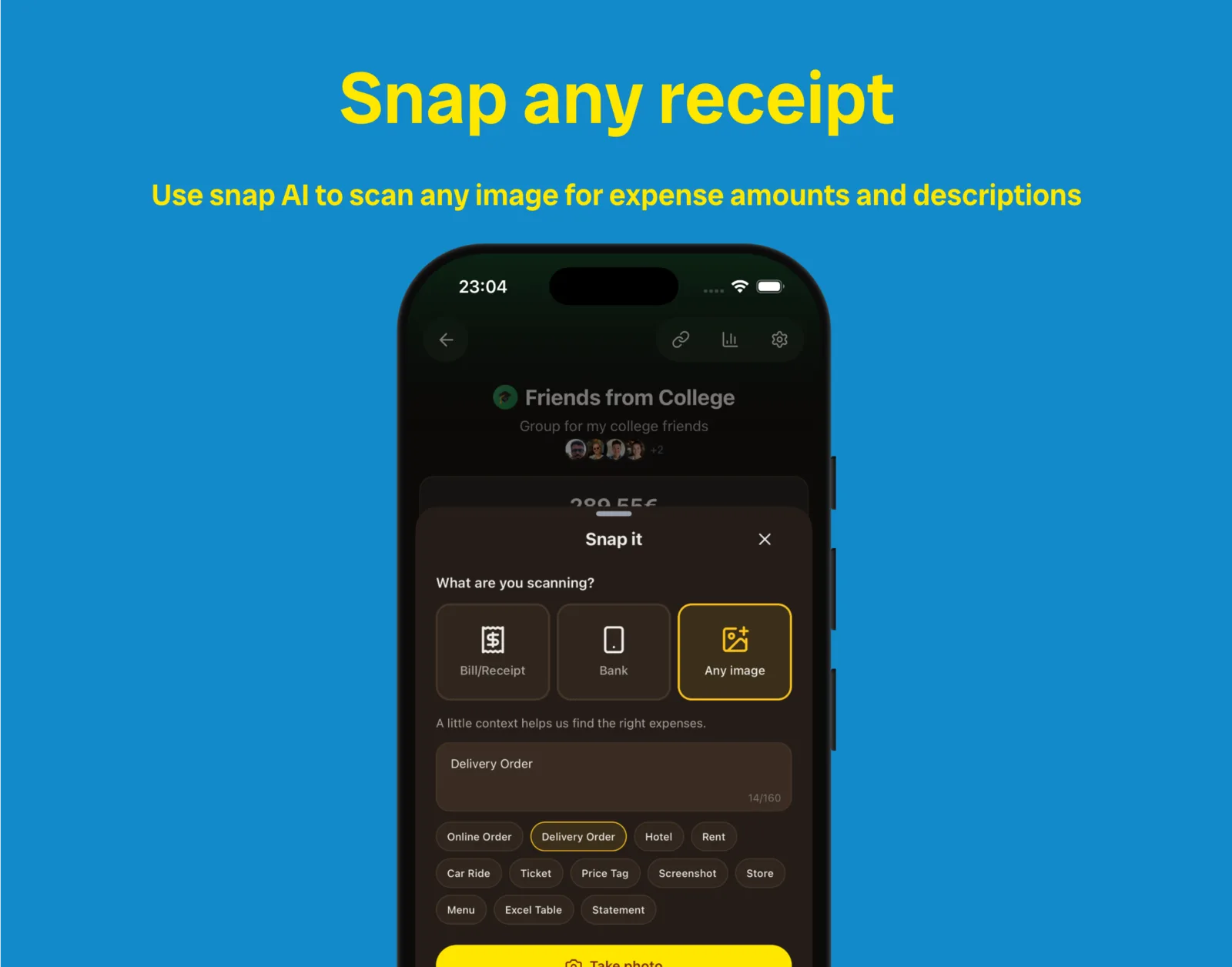
Tell Snap It what you're scanning, from a hotel bill to a car ride, and it finds the right amounts.
Paying in another currency
Going somewhere with a different currency? Add each expense in the currency you actually paid in. BananaSplit supports multiple currencies with auto-conversion, while the group keeps its own currency for balances, so you settle in one currency instead of a pile of pesos, euros and pounds.
If the exact number matters to you, use what your bank actually charged. Card fees and exchange rates vary, and a bank screenshot through Snap It brings in the real amount.
Step 6: Split each expense the fair way
Equal is the default, and for a lot of trip costs it's right. But equal and fair aren't always the same thing. BananaSplit gives you four ways to split, chosen per expense:
- Equally for the villa, the rental car, fuel, tolls and the supermarket run.
- By shares when someone covers a partner, a kid or a plus-one. Give them two shares and the amounts recalculate.
- By exact amounts for the dinner where people ordered very different things. With Snap It, you can assign each item on the receipt to whoever had it.
- By percentage for uneven deals you agreed on before the trip, like 40/30/30 for the room with the view.
Only include the people who were there. If two of the six skipped the boat trip, leave them out of that expense and the cost is split between the four who went. The same goes for anyone who arrives late or leaves early.
If the same uneven split keeps coming up, make it the group's default split and every new expense uses it automatically. When you change one person's percentage, you choose which of the others adjust.
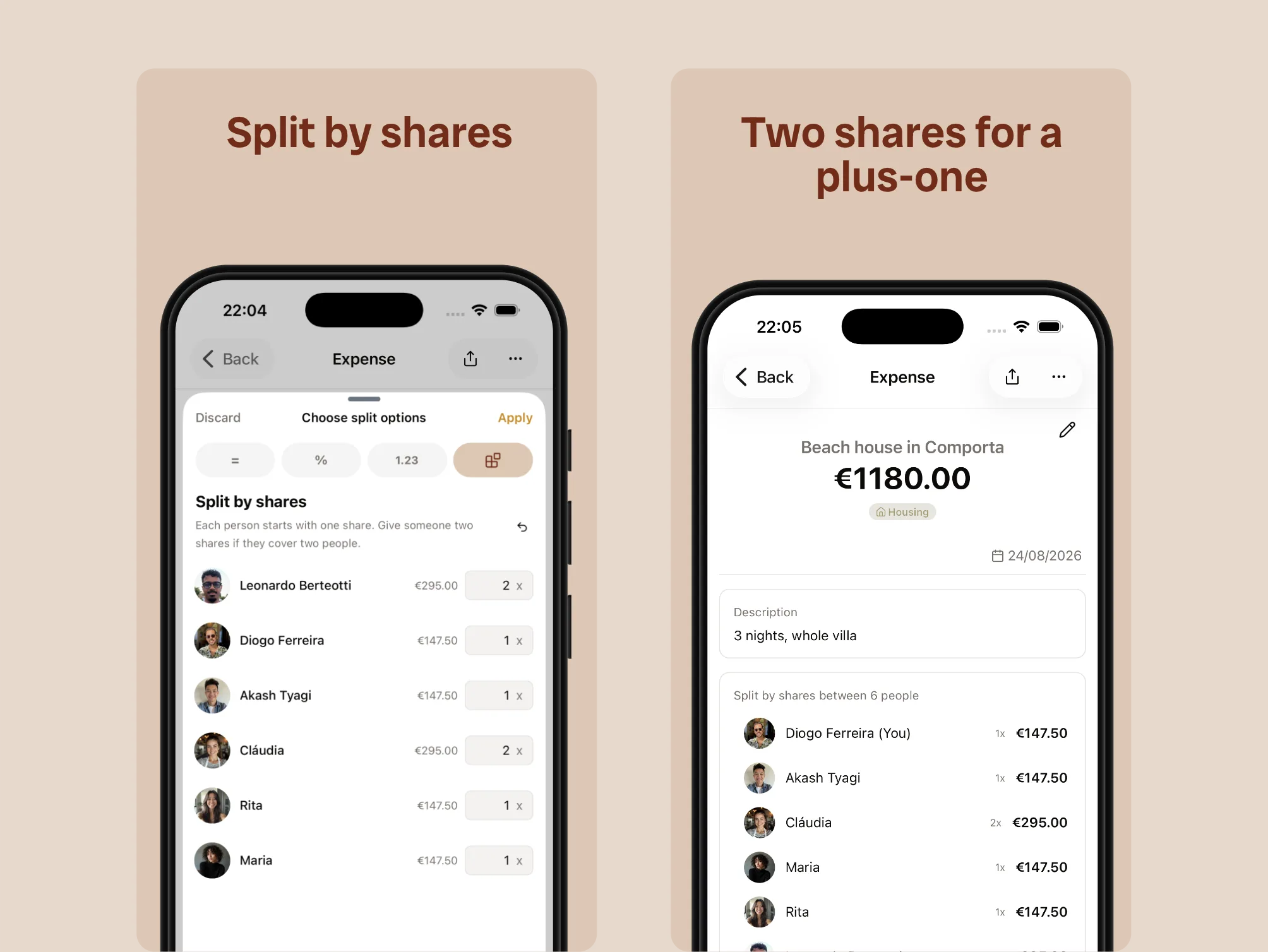
One share each, two for whoever is covering a plus-one.
Step 7: Check balances along the way
Halfway through the trip, open the group's balances. You'll see what the group has spent, what each person has paid and spent, and exactly who owes who across the group.
Want to tell the group without a screenshot? Share balances as text and paste them straight into WhatsApp or Telegram, with a link back to the group. Group metrics show spending by category and by member too, which ends the "how much did this trip actually cost?" debate.
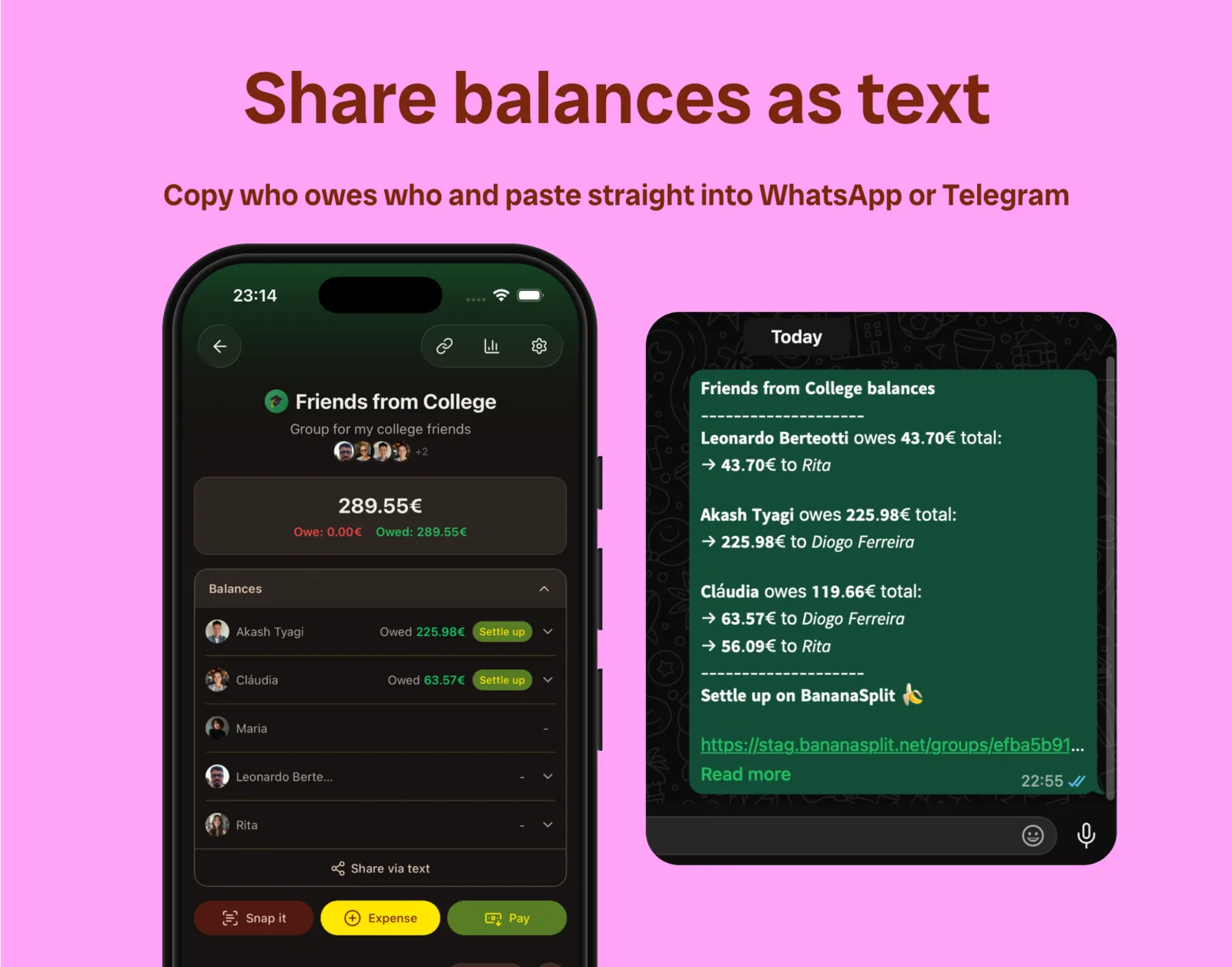
Copy who owes who and paste it into the trip chat.
Step 8: Settle up in the fewest payments
Last day. Instead of everyone paying everyone, let smart settlements handle it: BananaSplit reduces the number of payments the group needs, so six friends don't end up sending each other fifteen transfers.
- Tap Settle up and choose who received the money.
- Tap the suggested balance to fill in the amount.
- Review the payment and confirm.
Pay however you like (bank transfer, MB Way, Bizum, Revolut or cash), then record the payment in BananaSplit and the balance clears for both of you. BananaSplit keeps the record; the money moves however your group already pays.
To skip the "what's your IBAN?" message, everyone can add their phone number and IBAN to their profile. Friends copy them in one tap when it's time to pay.
Owe the same friend across several groups, like the trip and your flat? One settle-up can clear the balance across every group you share. And if someone is slow to pay, send a payment reminder from the app instead of a passive-aggressive message in the group chat.
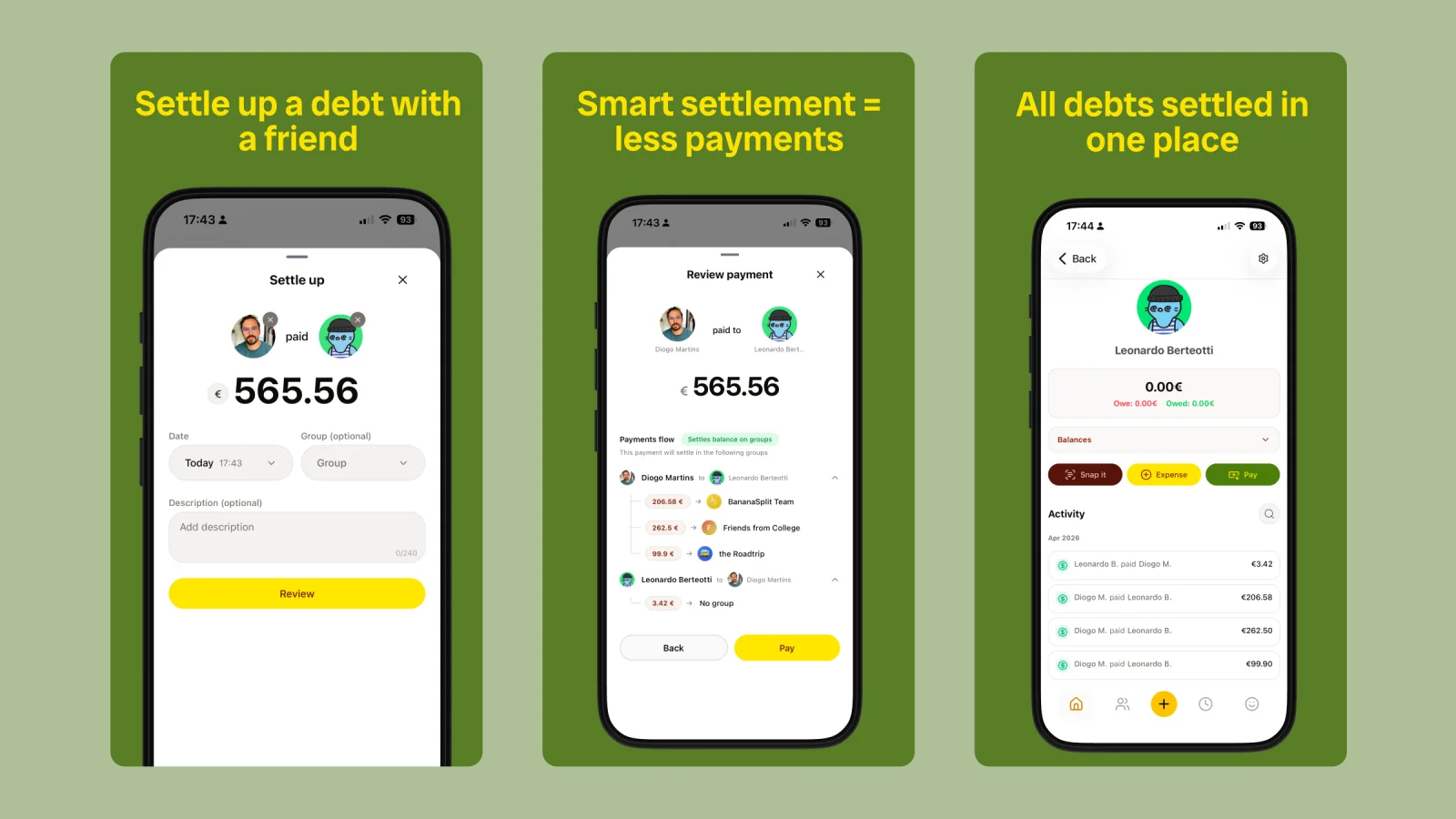
Fewer payments, and every debt cleared in one place.
More tips for splitting travel expenses with friends
- Name a co-organizer. Promote a second person to group admin, so the settings don't depend on one phone.
- Started in Splitwise? Import the CSV into BananaSplit and keep going without starting over.
- Make the reminder fun. Share an expense as a story-style image with a photo from the trip. It's the friendliest way to say "your share was €62".
- Let an AI assistant do the typing. Connect BananaSplit to Claude or ChatGPT and add expenses just by chatting.
- Road trip? Fuel, tolls and stop-by-stop spending have their own rhythm. See the road trip expense splitter.
FAQ
What is the fairest way to split costs on a group trip?
Split fixed costs like accommodation and car rental equally, and split variable costs like meals and activities by who took part. Agree on exceptions, like a bigger room or someone who doesn't drink, before the trip.
What if one person pays for everything?
That's fine, as long as each cost is logged with that person as the payer. Balances show what everyone owes them, and smart settlements tell each person exactly how much to send.
How do couples split costs on a group trip?
Either count the couple as two people, or give one partner two shares when they pay for both. Shares keep it simple and visible to everyone.
How do you split travel expenses in different currencies?
Add each expense in the currency you paid and let the app convert it. In BananaSplit the group keeps one currency for balances, so you settle in a single currency at the end.
Does everyone need the app to split trip expenses?
No. In BananaSplit only one person needs an account. Add everyone else as guests, and they can take over their history whenever they join.
Is there a free app to split trip expenses?
Yes. BananaSplit's Free plan covers groups, unlimited expenses, flexible splits, balances and payments, on iPhone, Android and the web. It includes 3 AI scans a month. Banana Gold raises that to 100 and makes payment reminders unlimited.
Split the trip, keep the friends
Trips are for the sunset, not the spreadsheet. Set up the group before you leave, let whoever pays log it, and settle once at the end. Download BananaSplit and start the group for your next trip today. More ideas for travel groups live on the vacation expense splitter page.